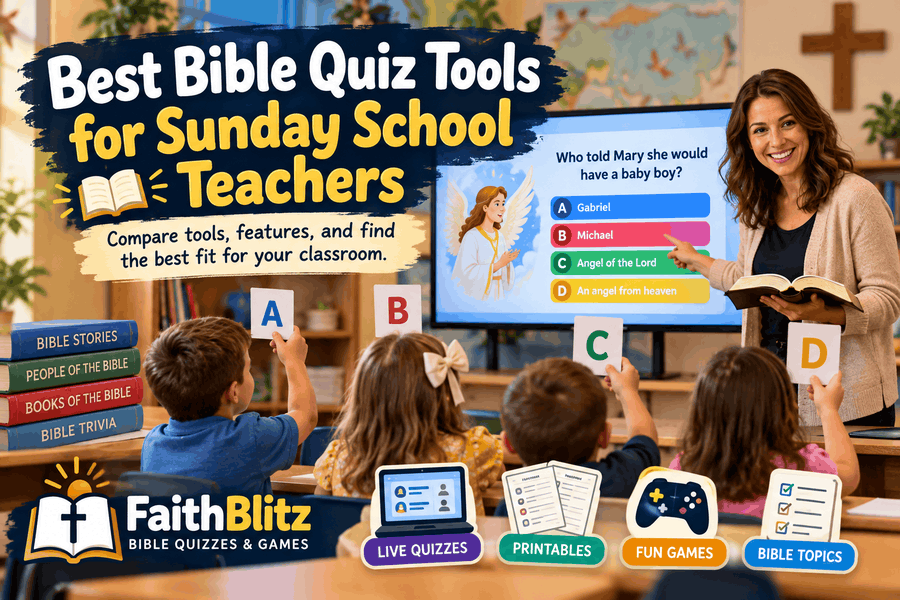
Best Bible Quiz Tools for Sunday School Teachers
Compare five Bible quiz tools for Sunday school, from one-screen classroom games and printable quizzes to live device-based trivia and study tools.
A Bible quiz can be one of the easiest ways to review a Sunday school lesson.
The harder part is choosing the right tool.
Some classrooms have a projector but no student devices. Others have older students with phones. Some teachers want a fast live game, while others simply need a printable Bible quiz they can hand out before class begins.
There is no single quiz platform that is best for every Sunday school room.
The better question is: Which Bible quiz tool fits the way you actually teach?
This guide compares several practical options for Sunday school teachers, children's ministry volunteers, homeschool families, and Bible study leaders.
What Should a Sunday School Quiz Tool Actually Do?
Before comparing platforms, think about your classroom.
If your students do not have devices, a tool built around individual phones may create more setup than it solves.
If you teach a youth group where everyone already has a phone, a join-code game may work perfectly.
If you teach younger children, printable quizzes or a teacher-controlled one-screen game may be easier.
Useful features to consider include ready-made Bible content, Scripture references, printable options, simple classroom setup, age-appropriate difficulty, and a way to review answers instead of simply declaring a winner.
FaithBlitz — Best for Bible-Specific Sunday School Quizzes
FaithBlitz is built specifically around Bible quizzes rather than general classroom subjects.
That matters when you are preparing Sunday school because you do not have to begin every lesson by writing your own questions.
FaithBlitz includes quizzes covering books of the Bible, Bible people, events, teachings, seasonal topics, and kid-friendly material.
One of the biggest differences for a Sunday school classroom is Classroom Mode.
Classroom Mode lets a teacher put a Bible quiz on one laptop connected to a television or projector and run the entire game from that screen.
Students answer aloud or hold up printed A/B/C/D response cards.
There are no student phones, student accounts, or join codes required.
That makes it especially useful for elementary Sunday school classes or churches where children are not expected to bring devices.
FaithBlitz also offers printable Bible resources, giving teachers another option when a screen is not practical.
Free teacher accounts include three Classroom Mode sessions per month. Teachers who use the tools regularly can also explore FaithBlitz Pro for unlimited classroom sessions and additional teacher resources.
Best fit: Sunday school teachers who want Bible-specific content, Scripture-based questions, printables, and the ability to run a quiz without student devices.
Kahoot! — Best for Familiar Live Trivia
Kahoot! is one of the most recognizable classroom quiz platforms.
A teacher hosts the game while students join and answer questions during the live session.
Its biggest advantage is familiarity.
Many school-age students already understand how Kahoot! works, so teachers may spend less time explaining the game itself.
For a Sunday school class, however, the teacher still needs to make sure the Bible content is accurate and appropriate for the lesson.
Kahoot! is a general education platform rather than a Bible-specific teaching resource, so you may need to create questions yourself or carefully review an existing quiz before using it.
It also works best when students have access to individual devices.
Best fit: youth groups and older Sunday school classes where students already have phones or tablets and the teacher wants a familiar competitive trivia format.
Wayground — Best for Flexible Classroom Quiz Options
Wayground, formerly known as Quizizz, gives teachers several ways to run classroom activities.
Teachers can host live quizzes or assign activities for students to complete separately.
In a typical live session, students join using their own devices.
Wayground also offers a Paper Mode that reduces the need for student devices.
Students can use printed response cards while the teacher collects responses using the Wayground system.
That can make it useful for classrooms where students do not all have phones, although there is still more technology involved on the teacher side than with a simple show-of-hands or A/B/C/D card system.
Because Wayground is designed for many school subjects, Sunday school teachers will generally need to create or verify their own Bible content.
Best fit: teachers who want multiple classroom formats and do not mind preparing or selecting the Bible questions themselves.
Blooket — Best for Game-Style Competition
Blooket takes classroom review questions and places them inside game-style activities.
Teachers host a game and students join using a game code or link.
The main attraction is the game experience.
For children and youth who enjoy competition, Blooket can make a review session feel very different from a traditional worksheet or question-and-answer lesson.
That can be useful when you already have a set of Bible questions and want a more energetic way to review them.
The tradeoff is that Blooket is not specifically designed around Scripture.
Teachers still need to make sure the questions, answers, and explanations they use are biblically accurate.
Best fit: children's ministry and youth leaders who already have Bible questions prepared and want to add more game mechanics to the review.
Quizlet — Best for Bible Memory and Vocabulary
Quizlet approaches review differently from most live trivia platforms.
Its foundation is study sets, flashcards, matching, testing, and repeated review.
Quizlet Live can also turn study material into a classroom activity.
For Bible study, this can work particularly well for memorization.
You might use it for books of the Bible, people and places, key terms, vocabulary, Scripture memory prompts, or matching Bible characters with events.
That makes Quizlet useful when the goal is repeated study rather than a traditional multiple-choice Bible trivia game.
It is less suited to a teacher who wants to open a ready-made Sunday school Bible quiz and immediately begin playing.
Best fit: classes focused on Bible vocabulary, memorization, matching, and repeated review.
Which Bible Quiz Tool Is Best if Students Do Not Have Devices?
This is one of the biggest differences between the available options.
If every child having a phone or tablet is unrealistic, FaithBlitz Classroom Mode is designed specifically for that situation.
The teacher runs everything from one screen.
Students can answer aloud or use printed A/B/C/D cards.
That means a laptop and a television or projector can be enough to run the entire game.
Wayground's Paper Mode is another device-light option, although it uses a different approach involving printed response cards and teacher-side scanning.
For a Sunday school room where simplicity matters more than detailed digital response tracking, a teacher-controlled one-screen game can be easier to manage.
What About Printable Bible Quizzes?
Sometimes paper is still the best tool.
A printable Bible quiz works when your classroom has no projector, when you want students to work independently, or when you need something children can take home.
It is also a useful backup when internet access is unreliable.
FaithBlitz includes a growing Bible printables section alongside its online quizzes.
That gives teachers the option to move between online quizzes, classroom games, and printed activities depending on the lesson and classroom setup.
For younger students especially, paper can sometimes be simpler than adding another device to the room.
Which Tool Is Best for Younger Sunday School Kids?
For younger elementary classes, fewer technical steps usually help.
Children may not have phones, may not be allowed to use devices during church, or may need help entering a game code.
A teacher-controlled game avoids those problems.
You can project the question, let students discuss it, ask them to answer aloud or raise a response card, reveal the correct answer, and then pause to talk about the Scripture reference.
That also gives the teacher control over pacing.
A question that leads to a good discussion can take several minutes. An easier question can move quickly.
The technology should support the lesson rather than dictate its speed.
Which Tool Is Best for Youth Groups?
Older students change the equation.
If nearly everyone already has a phone, Kahoot!, Wayground, or Blooket can work well for competitive youth group trivia.
The ability for each player to answer independently can create a different type of competition than a one-screen classroom game.
FaithBlitz can also work for youth groups when the teacher wants Bible-specific questions without building an entire quiz first.
The best choice depends on whether your priority is ready-made Scripture content or a particular style of game.
Bible-Specific Content vs. General Quiz Platforms
This is probably the most important distinction in the comparison.
Kahoot!, Wayground, Blooket, and Quizlet can all be useful teaching tools, but Bible study is only one of many possible uses for them.
That means the teacher usually carries more responsibility for finding, creating, and verifying the content.
FaithBlitz starts from the opposite direction.
The subject is already the Bible.
That makes it easier to browse by Bible topic, book, story, or difficulty and move directly into a quiz.
For a Sunday school teacher preparing several different things for Sunday morning, reducing that preparation step can matter more than having dozens of game modes.
Do You Need a Sunday School Quiz App?
Not necessarily.
A browser-based quiz tool can be easier because there is nothing for every student to install.
For younger classes, you may not want students interacting with technology at all.
A laptop connected to the classroom screen can be enough.
For older groups, students can use browser-based tools from their own devices when appropriate.
The right setup depends on your church's device policy, student ages, available equipment, and teaching style.
Use Quiz Games as Review, Not Just Competition
The best Bible quiz session is not necessarily the one with the fastest answers.
A wrong answer can become one of the most useful moments in the lesson.
Ask students why they chose it.
Read the Scripture reference.
Look at the surrounding verses.
Let students explain what changed once they saw the passage.
That turns trivia into Bible review.
It is also why Scripture references matter.
A Bible quiz should give students a path back to the biblical text instead of asking them to simply trust that an answer is correct.
Which Bible Quiz Tool Should You Choose?
If you want Bible-specific quizzes, Scripture references, printable resources, and no student devices, FaithBlitz is a strong fit.
If you want a widely familiar live trivia experience and your students already have devices, Kahoot! may work well.
If you want multiple classroom assessment formats, Wayground is worth considering.
If the priority is game-style competition, Blooket offers a different classroom experience.
If your lesson focuses on flashcards, vocabulary, definitions, or memorization, Quizlet may be the better match.
You do not have to use the same tool every week.
A teacher might use a printable quiz after one lesson, a projector game the next week, and a device-based youth group competition later in the month.
The goal is not to add technology for its own sake.
The goal is to make Bible review easier to prepare, easier to run, and useful for helping students return to Scripture.
Try a Bible Quiz With Your Class
FaithBlitz lets you browse Bible quizzes covering books, people, stories, and topics from across Scripture.
Start with the Bible quiz library, or use the Beginner Bible Path if you want an easier place to begin.
If your classroom has one laptop and one screen, you already have enough equipment to try a teacher-led Bible quiz.