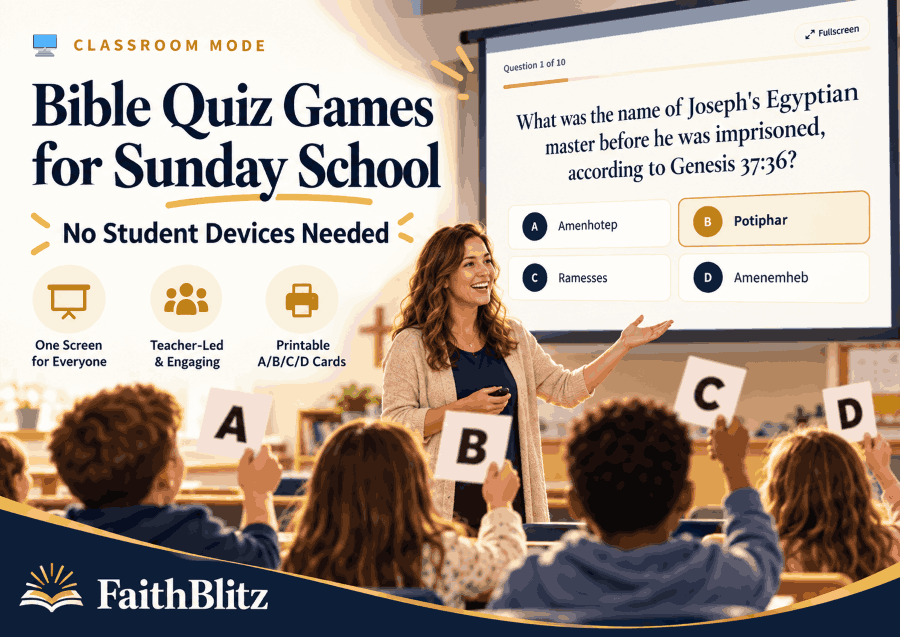
Bible Quiz Games for Sunday School — No Devices Needed
Run Bible quiz games for Sunday school on one screen with no student devices or join codes. Use teams, printable A/B/C/D cards, Scripture references, and teacher-controlled pacing.
You have one laptop, one projector, and twelve kids staring back at you.
Half of them do not have phones. The younger ones are not supposed to use devices during class anyway. You could hand out another worksheet, but paper by itself does not always create the energy of a game.
That is exactly the kind of classroom problem FaithBlitz Classroom Mode is built for.
Classroom Mode turns any of FaithBlitz's 800+ Bible quizzes into a teacher-run Bible quiz game on a single screen. You control the questions from your laptop while students answer aloud or hold up printed A/B/C/D response cards.
There are no student devices, no join codes, and no player accounts to set up.
A laptop connected to a TV or projector is enough.
What Is FaithBlitz Classroom Mode?
Classroom Mode is a one-screen version of FaithBlitz built for teachers and group leaders.
Instead of asking every student to open a website, enter a code, or create an account, the teacher runs the entire game.
Choose a Bible quiz, display it on the classroom screen, and move through the questions at your own pace.
Students can call out answers, discuss them with a team, or use printable A/B/C/D cards.
After everyone answers, the teacher reveals the correct response.
The correct answer is highlighted with a checkmark, followed by the Scripture reference and an explanation.
That means the answer reveal is not just about earning a point. It naturally becomes the moment when you can stop, read the verse, and reinforce the lesson.
Do My Students Need Phones or Tablets?
No.
Students do not need phones, tablets, laptops, accounts, or join codes to play Classroom Mode.
The teacher is the only person who needs a device.
Connect your laptop to the classroom TV or projector and use that one screen for the whole class.
Students can answer aloud, raise a hand, talk with teammates, or hold up printed A/B/C/D cards.
This makes Classroom Mode especially useful in Sunday school rooms where student devices are unavailable, discouraged, or simply more trouble than they are worth.
It also removes the setup time that often comes with multiplayer classroom software.
You can choose a quiz and start teaching.
How a Classroom Bible Quiz Works
The basic flow is intentionally simple.
Step 1: Choose a Bible Quiz
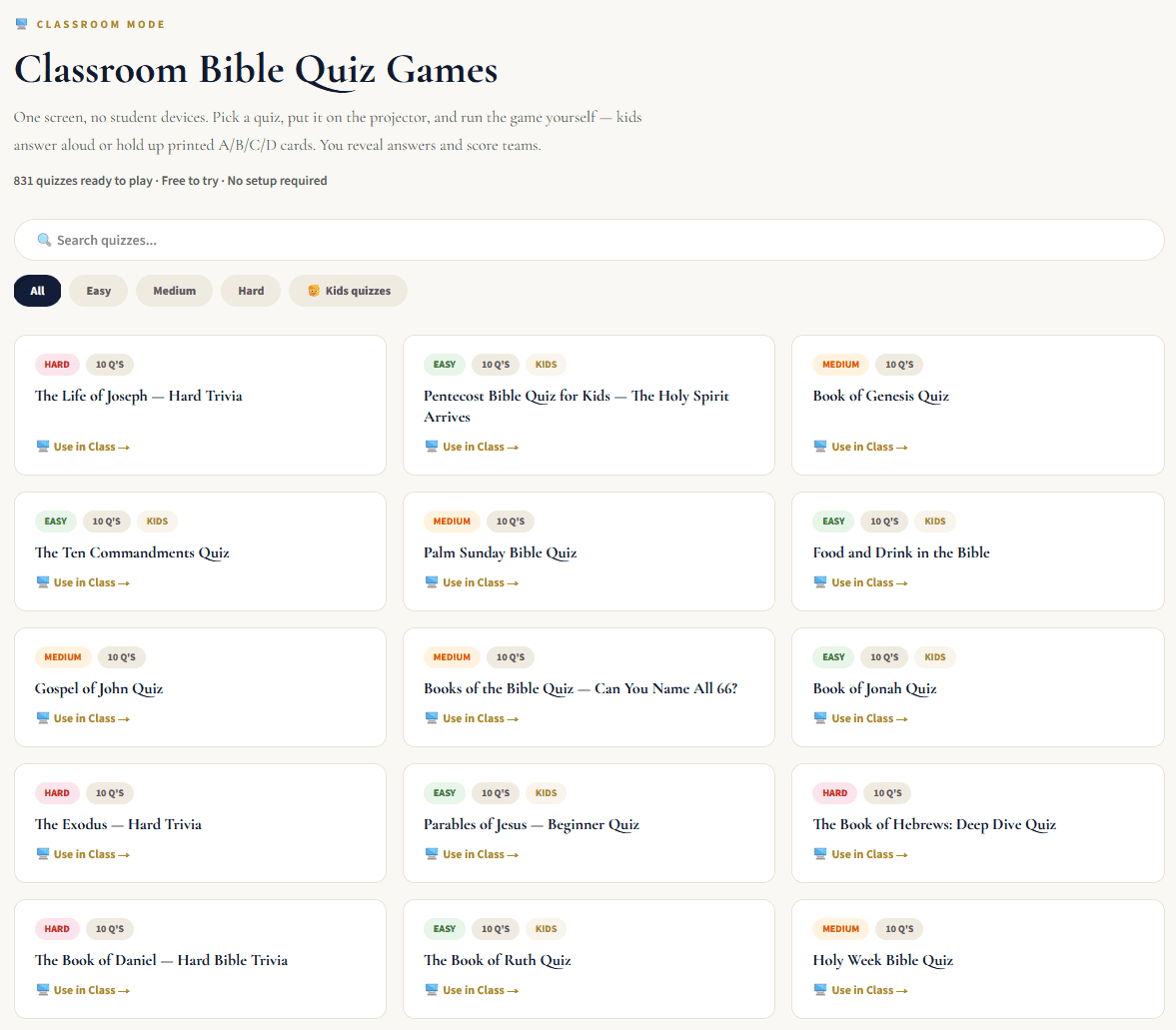
Go to Classroom Mode and search the FaithBlitz quiz library.
Quizzes cover every book of the Bible, dozens of topics, kid-specific material, and Easy, Medium, and Hard difficulty levels.
Choose the quiz that matches the lesson you are teaching.
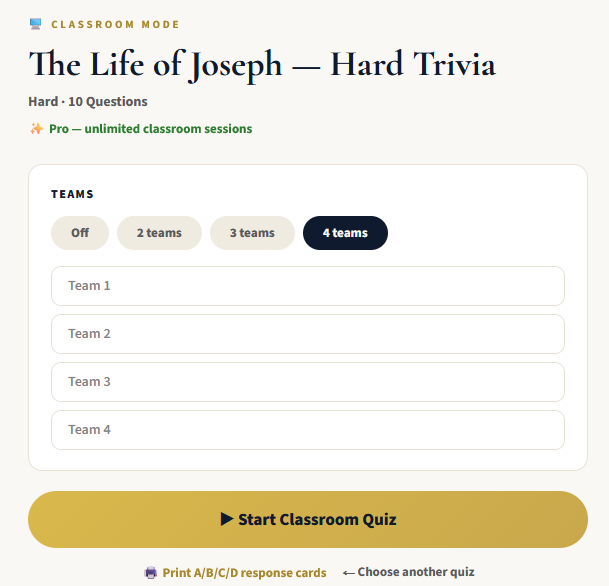
Step 2: Decide Whether to Use Teams
You can play without teams or choose two, three, or four teams.
Team names are editable, so you can keep things simple with Team 1 and Team 2 or use names your class already knows.
Step 3: Put the Quiz on the Big Screen
Use a classroom TV or projector and switch to fullscreen mode when you want the questions to be as readable as possible.
The quiz is untimed.
You decide when to move forward, which gives you time to read the question aloud, let students talk, or stop for discussion.
Step 4: Reveal the Answer
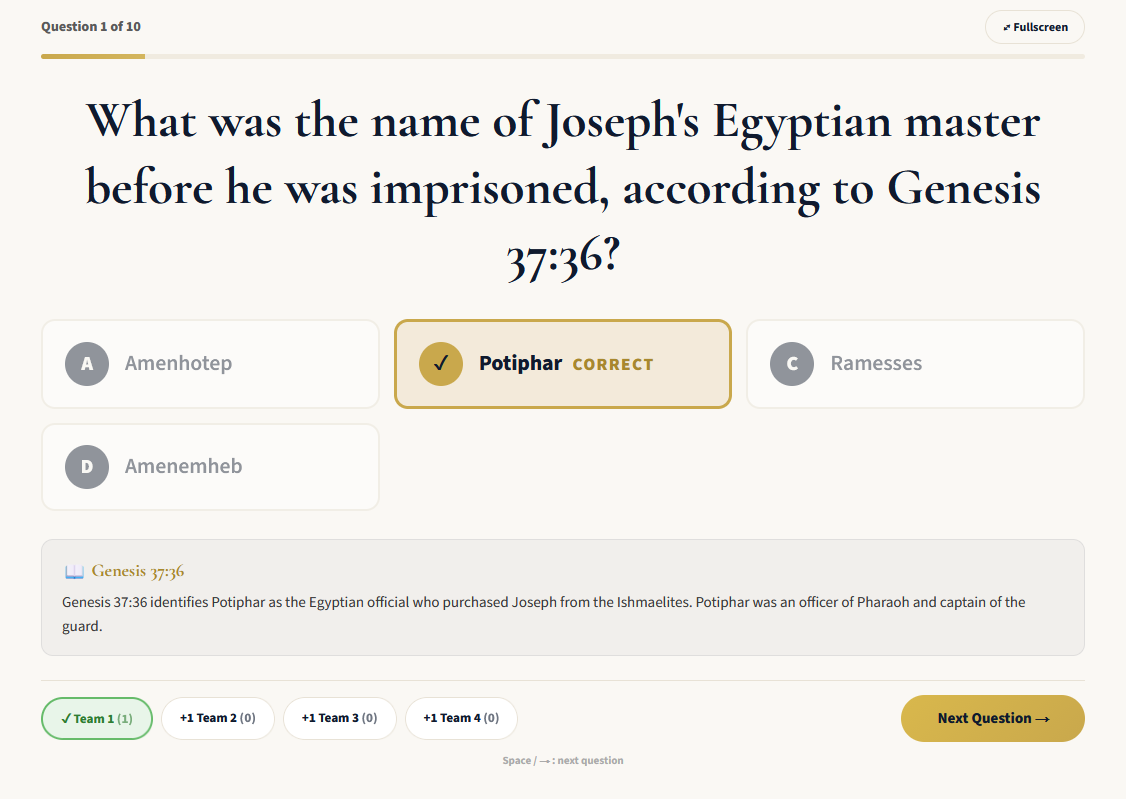
After everyone has answered, select Reveal Answer.
The correct choice is highlighted with a checkmark.
Then the Scripture reference and explanation appear underneath.
This is where the quiz becomes part of the lesson rather than simply a trivia contest.
You can read the reference together, explain the context, or ask why the other answers did not fit.
Step 5: Score the Teams and Continue
When teams are enabled, the teacher awards points manually.
Tap +1 for any team that earned the point and move to the next question when you are ready.
At the end, Classroom Mode shows the final standings and the winning team.
If the browser refreshes during the game, the classroom session resumes where it left off.
Use Printed A/B/C/D Cards Instead of Devices
One of the simplest ways to make a one-screen Bible game feel interactive is to give every student a set of response cards.
FaithBlitz provides free printable A/B/C/D cards at faithblitz.com/classroom/cards.
One printed sheet per student cuts into a complete A/B/C/D set.
The cards also work in grayscale, so you do not need a color printer.
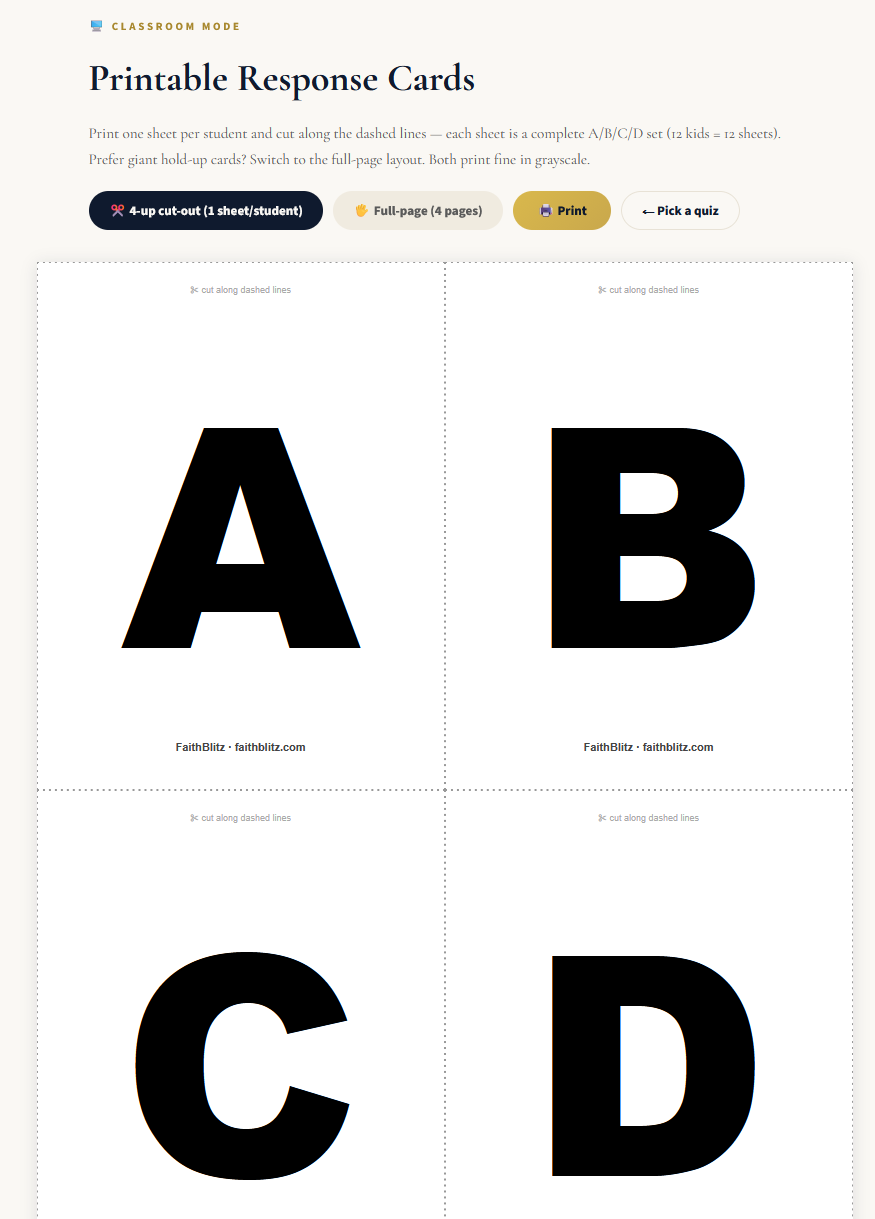
Give each child a set at the beginning of class.
When a question appears, ask everyone to choose an answer without showing it immediately.
Then count down and have the entire class hold up a card at the same time.
That keeps one confident student from shouting the answer before everyone else has had time to think.
It also lets you see the room instantly.
If almost everyone holds up B, you probably do not need a long explanation. If the class is split between B and C, you have found something worth discussing.
The response cards turn a simple multiple-choice question into a useful classroom check for understanding.
Team Play Without Complicated Scoring
Teams can add energy without making the lesson difficult to manage.
Classroom Mode supports two, three, or four teams.
After revealing the answer, you decide which teams receive a point.
That means more than one team can earn the point on the same question.
If Team 1 and Team 3 both answered correctly, simply give both teams +1.
You do not have to force every question into a fastest-answer-wins format.
For Sunday school, that is often better.
The focus stays on getting the Bible question right rather than being the first child to shout.
If teams finish tied, you can leave the game as a tie or use one additional question from the lesson as your own tiebreaker before ending class.
The final screen displays the standings clearly so everyone can see how the teams finished.
Bible Review Game Ideas for Real Lessons
The easiest way to use Classroom Mode is to connect it directly to material you are already teaching.
Review a Book of the Bible
If your class has spent several weeks in Genesis, John, Hebrews, Ruth, or another book, finish the unit with a related FaithBlitz quiz.
Because FaithBlitz includes quizzes across every book of the Bible, you can use Classroom Mode as a final review instead of preparing a separate game from scratch.
Pause after difficult questions and let students find the referenced passage.
Use It After a Seasonal Lesson
Seasonal lessons such as Easter or Christmas are natural opportunities for Bible trivia.
Teach the lesson first, then use a related quiz as the review activity.
The class gets the energy of a game while the Scripture references keep the activity connected to the biblical text.
Choose a Kids Quiz for Younger Classes
For an early elementary group, choose a kid-specific quiz and an easier difficulty level.
Read the questions and answer choices aloud rather than expecting every child to read from the projector.
The A/B/C/D cards work especially well here because every child can participate without needing to speak in front of the room.
Use a Hard Quiz With Youth or Adult Groups
Older students and adult Bible study groups can use Medium or Hard quizzes.
Instead of immediately revealing the answer, give each team time to discuss its choice.
After the reveal, use the Scripture reference as the starting point for a short conversation.
The quiz provides the structure, while you still control the depth of the discussion.
Practical Tips for Running the Game
Projector readability matters more than fancy classroom technology.
Use fullscreen mode when the screen is far from the students, and make sure everyone can see the answer choices before beginning.
Because Classroom Mode is untimed, there is no need to rush.
Give younger students enough time to process the question. Give teams time to quietly agree on an answer. Pause longer when a question connects directly to the main point of your lesson.
You can also let students take turns reading questions aloud.
That gives them another way to participate and keeps the teacher from doing all the talking.
Most importantly, use the answer reveal as part of the teaching.
The Scripture reference and explanation are there so that a missed question becomes a reason to return to the Bible.
What If Everyone Has a Device?
Classroom Mode is designed for one-screen, teacher-controlled play.
If every participant has a device and you want players interacting through their own screens, FaithBlitz also offers Live mode.
The two formats serve different classroom situations.
For the Sunday school room with one projector and no student devices, Classroom Mode keeps the setup much simpler.
What If I Want a Paper Quiz Instead?
Sometimes paper is still the right tool.
FaithBlitz also offers printable Bible quiz PDFs for teachers who want traditional worksheets or printed quizzes.
Classroom Mode is better when you want the class to experience the quiz together on one screen.
Printables are better when students need individual paper copies.
Free Classroom Mode vs FaithBlitz Pro
You can try Classroom Mode without subscribing.
Free FaithBlitz accounts receive three classroom sessions per calendar month.
That is enough to test it with your class and see whether it fits your teaching style.
Teachers who use FaithBlitz regularly can upgrade to FaithBlitz Pro.
Pro costs $4.99 per month or $39.99 per year and includes unlimited Classroom Mode.
It also includes unlimited watermark-free printable quizzes with answer keys and Live game hosting.
For a teacher using FaithBlitz every week, Pro removes the monthly Classroom Mode session limit and brings the other teacher tools into the same plan.
Classroom Bible Quiz FAQ
Is FaithBlitz Classroom Mode free?
Free accounts receive three Classroom Mode sessions per calendar month. FaithBlitz Pro includes unlimited Classroom Mode.
What devices do students need?
None. Students can answer aloud or use printed A/B/C/D response cards. Only the teacher needs a laptop connected to a TV or projector.
What ages can use Classroom Mode?
There is no single required age range. FaithBlitz includes kid-specific quizzes as well as Easy, Medium, and Hard difficulty levels, so teachers can choose material appropriate for their group.
Do the Bible quiz questions include Scripture references?
Yes. Every question includes a Scripture reference. When the teacher reveals the answer, the Scripture reference and explanation appear with it.
What does FaithBlitz Pro include?
FaithBlitz Pro is $4.99 per month or $39.99 per year. It includes unlimited Classroom Mode, unlimited watermark-free printable quizzes with answer keys, and Live game hosting.
Try a Bible Quiz Game With Your Class
You do not need twelve phones, twelve accounts, or another complicated classroom setup.
Pick a Bible quiz, put it on one screen, let your students answer, and use each reveal as another opportunity to return to Scripture.