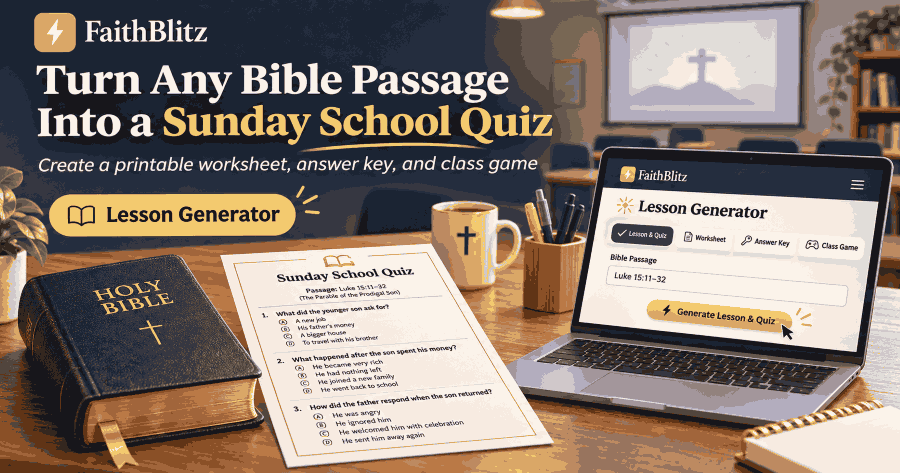
Turn Any Bible Passage Into a Sunday School Quiz
Turn a Bible passage, sermon notes, or lesson outline into a Sunday school quiz, printable worksheet with answer key, class game, and student review link.
You already know what you are teaching Sunday. Maybe it is Luke 15, David and Goliath, Psalm 23, or a passage connected to your pastor’s sermon. The harder part is finding time to write good review questions, prepare a Bible lesson worksheet, make an answer key, and still plan something engaging for your class.
The FaithBlitz Lesson Generator helps turn the passage you are already teaching into a 10-question Sunday school quiz you can review, edit, print, play as a class game, or send home for extra practice.
Meet the Bible Quiz Generator for Sunday School
The FaithBlitz Lesson Generator starts with your Bible lesson rather than asking you to build a quiz question by question.
You can give it a Bible reference, sermon notes, a lesson outline, or a passage you have pasted into the form. It creates 10 multiple-choice questions based only on the World English Bible text of the passage you identify.
The result is a starting point for your lesson preparation. You review every question and Scripture reference before anything reaches your students.
How to Make a Sunday School Quiz From Your Lesson
The process is designed for teachers who want useful review material without learning a complicated system.
Step 1 — Give It Your Bible Passage or Lesson Notes
You can start with a Bible reference such as `Luke 15:11-32`, `1 Samuel 17`, or `Psalm 23`.
You can also paste sermon notes, a lesson outline, or a Bible passage.
If you paste notes, an outline, or a passage, include its Bible reference too, for example `Luke 15:11-32`. If the reference is missing, FaithBlitz asks:
“Which Bible passage are these notes about?”
That keeps the Sunday school review questions tied to a specific passage instead of guessing what your lesson is about.
Step 2 — Pick the Age Group
Choose the audience that best fits your class.
Kids is designed for ages 8–10.
Teens adjusts the questions for older students.
Adults works for adult Sunday school classes and Bible study groups.
You can also enter an optional class name such as Grade 3 Sunday School.
The passage stays the same. The audience choice helps shape how the questions are written for the people you are teaching.
Step 3 — Review and Approve the Questions
The Bible quiz generator creates 10 multiple-choice questions with four answer choices for each question.
Every question includes a Bible reference and a short explanation. You can also tap “Show the verse it came from” to see the exact Scripture wording behind that question.
Every generated lesson begins as a draft with this notice:
“AI draft — review questions and scripture references before teaching.”
You can edit any question, answer, Bible reference, or explanation.
When you are satisfied with the lesson, click “Approve for teaching.”
Nothing can be printed, played in class, or shared with students until you approve it.
If you edit an approved lesson later, it returns to draft status so you can review the changes once more.
Step 4 — Turn It Into a Worksheet, Class Game, or Home Review
Once the lesson is approved, the same 10 questions can be used in three different ways.
You can print a Bible lesson worksheet with an answer key, play the questions together in Classroom Mode, or send students a link to review the lesson at home.
That lets one set of Sunday school review questions serve several purposes without rebuilding the activity each time.
A Real Prodigal Son Quiz for Kids
Here is a real example generated from Luke 15:11-32 with the Kids audience selected.
What job did the younger son get in the far country?
A. Building walls · B. Herding sheep · C. Feeding pigs · D. Picking grapes
Luke 15:15
What did the father do when he saw his son still far off?
A. He ran to him and kissed him · B. He shut the gate and the door · C. He stayed home and waited · D. He sent a servant to meet him
Luke 15:20
How did the older son feel when he learned about the party for his brother?
A. Angry, and he would not go in · B. Sleepy, and he went to bed · C. Happy, and he danced at once · D. Afraid, and he ran away
Luke 15:28
These questions work well as a Prodigal Son quiz for kids because each answer can be checked against the verse shown with it.
The wrong answers are believable enough to make students think, but they are clearly not what the passage says.
That is useful in class because a missed question can become a reason to return to the Bible instead of simply telling a student that an answer was wrong.
Three Ways to Use the Quiz This Sunday
Print a Bible Lesson Worksheet With an Answer Key
The Print option creates a student worksheet with a name and date line, all 10 questions, and an answer line for each.
A separate teacher answer key prints on its own page with the answers, Bible references, and explanations. The layout works with both US Letter and A4 paper.
A practical way to use the Sunday school lesson worksheet is to place copies near the door for early arrivals. Students can begin reviewing the passage while you finish setting up the room.
Use It as a Bible Review Game for Sunday School
An approved lesson can also be played through FaithBlitz Classroom Mode.
Open your approved lesson and tap Play in Classroom Mode.
You run the quiz from one screen using a laptop connected to a projector or TV. Students do not need their own devices, accounts, or join codes.
For a simple Bible review game for Sunday school, divide the class into teams and use the quiz after the lesson. Students get to revisit the passage while you quickly see which details they remembered.
Send the Student Link During the Week
You can also send one student link for the approved quiz.
Students can play at home without signing up, entering their names, or seeing ads.
You can see how many students played, the class average, and which questions were missed most often. Individual student results are not collected.
A useful routine is to send the link in the middle of the week as a short review before students return to class.
Built for Teachers Who Check Their Work
A Bible quiz generator is most useful when you can see exactly where each question came from.
That is why every lesson follows a draft → review → approve process.
You can change anything that does not fit your teaching goals, preview the quiz as a student would see it, and check the Scripture behind every question.
The “Show the verse it came from” option is especially helpful when you want to confirm wording before class.
The Lesson Generator also refuses non-Bible topics instead of trying to force unrelated material into a Bible lesson. A request such as “how to change a tire” will not become a made-up Scripture quiz.
For more teaching resources and FaithBlitz classroom tools, visit the Teacher Hub.
Turn Sermon Notes Into a Quiz
You do not have to begin with only a Bible reference.
If your pastor, curriculum, or lesson plan already includes notes, you can paste those into the Lesson Generator and identify the main passage they are based on.
That makes it useful when you already know what you want to emphasize but still need Sunday school review questions for the end of the lesson.
The questions themselves still come from the World English Bible text of the named passage, so you can trace each question back to Scripture.
Ideas for Your Next Bible Quiz
David and Goliath — 1 Samuel 17
Use the story for a David and Goliath quiz covering the people, events, actions, and important details in the chapter.
Jesus Calms the Storm — Mark 4:35-41
A strong choice for a Bible quiz for youth group, especially when reviewing what happened before, during, and after the storm.
Pentecost — Acts 2:1-21
Use the passage for an adult Bible study review and let the group check details directly against Acts 2.
Psalm 23
Turn this familiar passage into a Psalm 23 quiz that encourages careful reading instead of relying only on memory.
Nicodemus — John 3
A useful passage for teens or adults studying Jesus’ conversation with Nicodemus.
Jonah — Jonah 1–2
Create a Jonah quiz for kids covering Jonah’s actions, the storm, the sailors, and what happened after he was thrown into the sea.
The Good Samaritan — Luke 10:25-37
Turn this familiar story into a Good Samaritan quiz for children, teens, or an adult Bible study.
The Lost Son — Luke 15:11-32
Create a Prodigal Son quiz for kids and use the Scripture references to review each answer together.
Frequently Asked Questions
Is the Bible Lesson Generator free?
Yes. Free FaithBlitz accounts can generate one lesson per month.
FaithBlitz Pro includes 10 generated lessons per month, clean printing without the FaithBlitz footer on the worksheets, and unlimited Classroom Mode. See FaithBlitz Pro for current details.
Which Bible translation does the generator use?
Generated questions come only from the World English Bible (WEB) text of the passage you select.
You can use “Show the verse it came from” to check the Scripture behind every question before approving the lesson.
Can I edit the Sunday school quiz questions?
Yes. You can edit the question, answer choices, correct answer, Bible reference, or explanation.
Nothing can be printed, played in class, or shared with students until you approve the lesson for teaching.
Do students need a FaithBlitz account?
No. Students using the shared student link do not need to sign up or enter their names.
You see overall participation, the class average, and the questions missed most often, but individual student results are not collected.
Can I turn sermon notes into a quiz?
Yes. Paste your sermon notes or lesson outline and identify the main Bible passage.
If the reference is missing, FaithBlitz asks which Bible passage the notes are about before creating the questions.
Make a Bible Quiz From the Passage You Are Already Teaching
You still decide what your class needs to learn, which questions fit your lesson, and what should be changed before you teach.
The Lesson Generator gives you a practical starting point based on the passage you are already preparing. You can review the questions, check the Scripture references, make edits, approve the lesson, and choose the format that works best for your class.
That can mean less prep time spent formatting worksheets and review questions, and more time focused on the lesson itself.